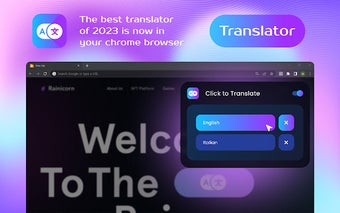
Convenient Translator with Click to Translate Feature
Translator - Click to Translate is a Chrome add-on developed by Givani. As the name suggests, it offers a convenient way to translate words or phrases using the Google Translator. This free add-on allows users to simply right-click on a word or phrase to instantly translate it.
One of the key features of Translator - Click to Translate is the ability to translate text by simply double-clicking on a word while reading. This makes it easy to quickly understand the meaning of unfamiliar words without interrupting your reading flow. Additionally, users can also copy and paste a larger portion of text into the extension's popup for translation.
The extension boasts a beautiful design that is not only aesthetically pleasing but also functional. Users can easily navigate through its features and even choose a color theme that suits their preferences.
Translator - Click to Translate also offers the convenience of translating entire web pages at once. Users can do this by clicking a button in the context menu or in the extension's popup. Moreover, the add-on remembers the history of languages used, making it easier to switch between preferred languages without having to select them every time.
Overall, Translator - Click to Translate is a user-friendly Chrome add-on that provides a convenient and efficient way to translate text on the web. Its intuitive design, click-to-translate feature, and language history functionality make it a valuable tool for anyone needing quick and accurate translations.